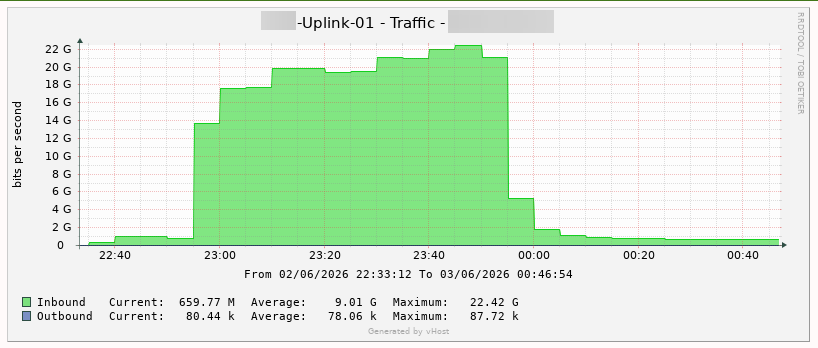

1. Attack Mechanisms
vHost permanently blocks the ICMP protocol as it represents one of the most prevalent attack vectors in DDoS campaigns. Attackers continuously transmit millions of ICMP Echo Request packets, exhausting available bandwidth and causing CPU spikes as the kernel is required to process each packet individually.
2. Consequences
- Tools relying on
pingsuch as ping andmtrwill receive no response - Monitoring systems using ICMP ping checks will generate false positives (reporting down while the server is actually running normally)
3. Verifying Connectivity via TCP
Since ICMP is blocked at the network layer, internet connectivity must be verified through the TCP protocol.
Verification Commands:
curl -4 ifconfig.me # Check IPv4
curl -6 ifconfig.me # Check IPv6
If the command returns a public IP address, the server is operating normally and has internet connectivity.
4. Note for Monitoring Systems
If your monitoring system is currently using ICMP ping checks, it must be switched to TCP checks to avoid false positive alerts.