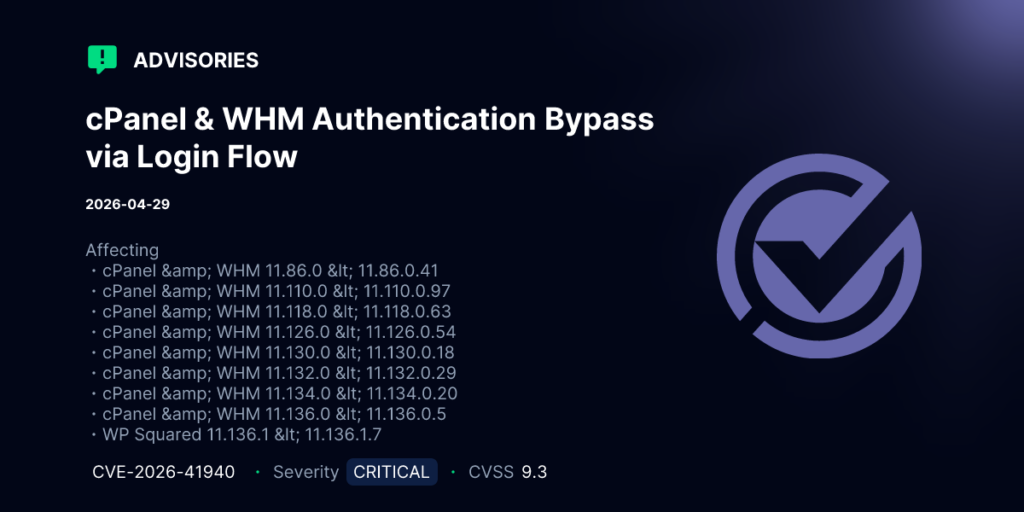
3h19 sáng ngày 30/4/2026 cPanel gửi thông báo đến toàn thể các đối tác và khách hàng thông báo về lỗi bảo mật CVE-2026-41940 cho phép attacker tấn công hệ thống cPanel qua port 2083 (cPanel), 2087 (WHM), 2095 (webmail none SSL) và 2096 (webmail with SSL).
Giải pháp
Đồng thời công bố bản vá áp dụng cho các phiên bản sau:
- 11.86.0.41
- 11.110.0.97
- 11.118.0.63
- 11.126.0.54
- 11.130.0.19
- 11.132.0.29
- 11.136.0.5
- 11.134.0.20
Hướng dẫn cập nhật
Để cập nhật Quý khách vui lòng thực hiện update theo lệnh sau:
/scripts/upcp --forceSau khi update Quý khách có thể kiểm tra lại phiên bản cPanel với lệnh sau:
/usr/local/cpanel/cpanel -Vvà tiến hành restart lại cPanel với lệnh sau:
/scripts/restartsrv_cpsrvdTrong trường hợp Quý khách chưa thể cập nhật ngay, có thể xử lý tạm thời theo 1 trong 2 cách sau:
- Thiết lập firewall block các port: 2083, 2087, 2095 và 2096.
- Hoặc stop các dịch vụ cpsrvd và cpdavd với câu lệnh sau:
whmapi1 configureservice service=cpsrvd enabled=0 monitored=0 && whmapi1 configureservice service=cpdavd enabled=0 monitored=0 && /scripts/restartsrv_cpsrvd --stop && /scripts/restartsrv_cpdavd --stopKiểm tra xem hệ thống có bị thâm nhập hay chưa?
Tạo file ioc_checksessions_files.sh với nội dung sau:
nano /opt/ioc_checksessions_files.sh
#!/bin/bash
# Scan for compromised session files

SESSIONS_DIR="/var/cpanel/sessions"
COMPROMISED=0

echo "[*] Scanning session files for injection indicators..."

for session_file in "$SESSIONS_DIR"/raw/*; do
    [ -f "$session_file" ] || continue
    session_name=$(basename "$session_file")

    # Check if this session is/was pre-auth
    preauth_file="$SESSIONS_DIR/preauth/$session_name"

    # IOC 0: Session has both token_denied AND cp_security_token and method=badpass origin (strong indicator of exploitation)
    #
    # token_denied is set by do_token_denied() in cpsrvd when a request
    # supplies an incorrect security token. cp_security_token is the
    # attacker-injected token value. This combination indicates:
    #
    #   1. Attacker injected a cp_security_token via newline payload
    #   2. Attacker attempted to use the injected token
    #   3. cpsrvd recorded the token mismatch (token_denied counter)
    #      during the exploitation window before the session was
    #      fully promoted
    #
    # In a legitimate session:
    #   - token_denied is only present after a user-initiated
    #     security token failure (rare, typically from expired bookmarks)
    #   - It would never co-exist with a badpass origin AND an
    #     attacker-controlled cp_security_token
    #
    # This IOC catches BOTH successful and failed exploitation attempts.
    if grep -q '^token_denied=' "$session_file" && \
       grep -q '^cp_security_token=' "$session_file"; then

        # Extract values for triage context
        token_val=$(grep '^cp_security_token=' "$session_file" | head -1 | cut -d= -f2)
        denied_val=$(grep '^token_denied=' "$session_file" | head -1 | cut -d= -f2)
        origin=$(grep '^origin_as_string=' "$session_file" | head -1 | cut -d= -f2-)
        used=$(grep -a "$token_val" /usr/local/cpanel/logs/access_log | grep -m1 " 200 ")
        external_auth=$(grep '^successful_external_auth_with_timestamp=' "$session_file")

        # High confidence if origin is badpass (session was pre-auth)
        if grep -q '^origin_as_string=.*method=badpass' "$session_file"; then
                if [ -z "$external_auth" ] && [ -z "$used" ]; then
                        echo "Found possible injected session file: $session_file"
                        echo "  - No sign of usage"
                else
                    echo "[!] CRITICAL: Exploitation artifact - token_denied with injected cp_security_token: $session_file"
                    echo "    - cp_security_token=$token_val"
                    echo "    - token_denied=$denied_val"
                    echo "    - origin=$origin"
                    echo "    - Verdict: Session was pre-auth (badpass origin) with attacker-injected token"
                    echo "    - USED:  $used"
                    COMPROMISED=1
                fi
        # Medium confidence but still suspicious for any session
        else
            echo "[!] WARNING: Suspicious session with token_denied + cp_security_token: $session_file"
            echo "    - cp_security_token=$token_val"
            echo "    - token_denied=$denied_val"
            echo "    - origin=$origin"
            echo "    - Review manually: may be legitimate token expiration or exploitation attempt"
        fi
    fi

    # IOC 1: Pre-auth session with authenticated attributes
    if [ -f "$preauth_file" ]; then
        if grep -qE '^successful_external_auth_with_timestamp=' "$session_file"; then
            echo "[!] CRITICAL: Injected session detected: $session_file"
            echo "    - Contains 'successful_external_auth_with_timestamp' in pre-auth session"
            COMPROMISED=1
        fi
    fi

    # IOC 2: Any session with tfa_verified but no valid origin
    if grep -q '^tfa_verified=1' "$session_file" && \
       ! grep -q '^origin_as_string=.*method=handle_form_login' "$session_file" && \
       ! grep -q '^origin_as_string=.*method=create_user_session' "$session_file" && \
       ! grep -q '^origin_as_string=.*method=handle_auth_transfer' "$session_file"; then
        echo "[!] WARNING: Session with tfa_verified but suspicious origin: $session_file"
        COMPROMISED=1
    fi

    # IOC 3: Password field containing newlines (corrupted session file)
    if grep -qzP '(?m)^pass=.*\n.' "$session_file" 2>/dev/null; then
        echo "[!] CRITICAL: Multi-line pass value detected: $session_file"
        COMPROMISED=1
    fi
done

if [ "$COMPROMISED" -eq 0 ]; then
    echo ""
    echo "[+] No indicators of compromise found."
else
    echo ""
    echo "[!] INDICATORS OF COMPROMISE DETECTED - IMMEDIATE ACTION REQUIRED"
    echo "    1. Purge all affected sessions"
    echo "    2. Force password reset for root and all WHM users"
    echo "    3. Audit /var/log/wtmp and WHM access logs for unauthorized access"
    echo "    4. Check for persistence mechanisms (cron, SSH keys, backdoors)"
fi
Sau đó thực hiện phân quyền và chạy mã kiểm tra:
chmod 755 /opt/ioc_checksessions_files.sh
./opt/ioc_checksessions_files.sh
Ví dụ bên dưới là tấn công từ IP 100.96.3.23:
# /bin/bash ./ioc_checksessions_files.sh
[*] Scanning session files for injection indicators...
[!] CRITICAL: Exploitation artifact - token_denied with injected cp_security_token: /var/cpanel/sessions/raw/:Q3f8Ag2epeBuTaIZ
   - cp_security_token=/cpsess04396539398
   - token_denied=1
   - origin=address=100.96.3.23,app=whostmgrd,method=badpass
   - Verdict: Session was pre-auth (badpass origin) with attacker-injected token
[!] WARNING: Session with tfa_verified but suspicious origin: /var/cpanel/sessions/raw/:Q3f8Ag2epeBuTaIZ

[!] INDICATORS OF COMPROMISE DETECTED - IMMEDIATE ACTION REQUIRED
   1. Purge all affected sessions
   2. Force password reset for root and all WHM users
   3. Audit /var/log/wtmp and WHM access logs for unauthorized access
   4. Check for persistence mechanisms (cron, SSH keys, backdoors)
File: ioc_checksessions_files.sh
Chi tiết Quý khách có thể xem thêm tại https://support.cpanel.net/hc/en-us/articles/40073787579671-Security-CVE-2026-41940-cPanel-WHM-WP2-Security-Update-04-28-2026